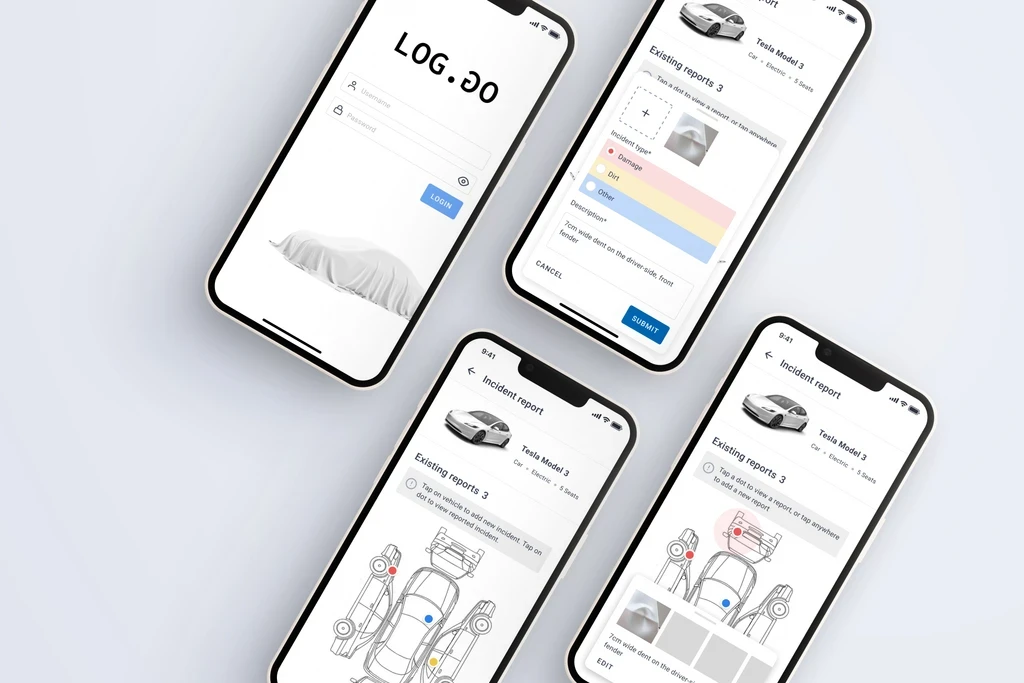
Context
The incident report feature was a part of an internal vehicle rental and fleet app, was used by employees to book company vehicles for work-related trips. However, many vehicles were returned with unreported damage, resulting in accountability issues, maintenance costs, and disputes over responsibility.
UI Designer
Figma · Jira · Balsamiq
3 month
Team
Cross-functional collaboration
Industry Context
SaaS for industrial fleet operations
Challenge
Reporting damage was viewed as a negative or inconvenient task, leading to underreporting.
The existing process lacked structure and visual clarity, making it difficult for users to describe incidents accurately.
The goal was to design a simple, intuitive, and non-punitive incident reporting experience that encouraged honest and timely reporting — improving transparency and reducing hidden damages.
+40%
Faster identification of damage |
-50%
Increase in user retention
+30%
Increase in user confidence and satisfaction
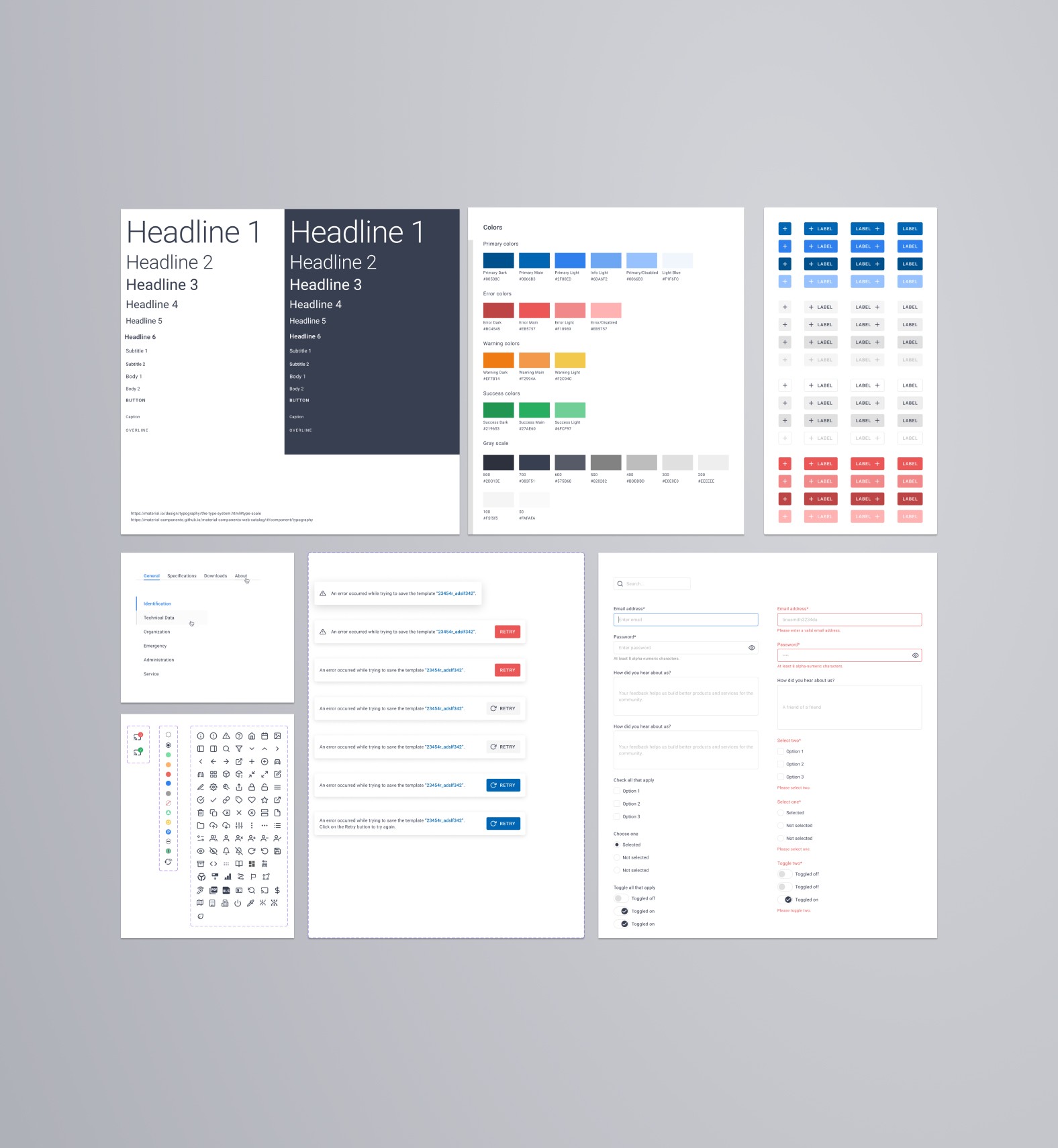
Adapted design system
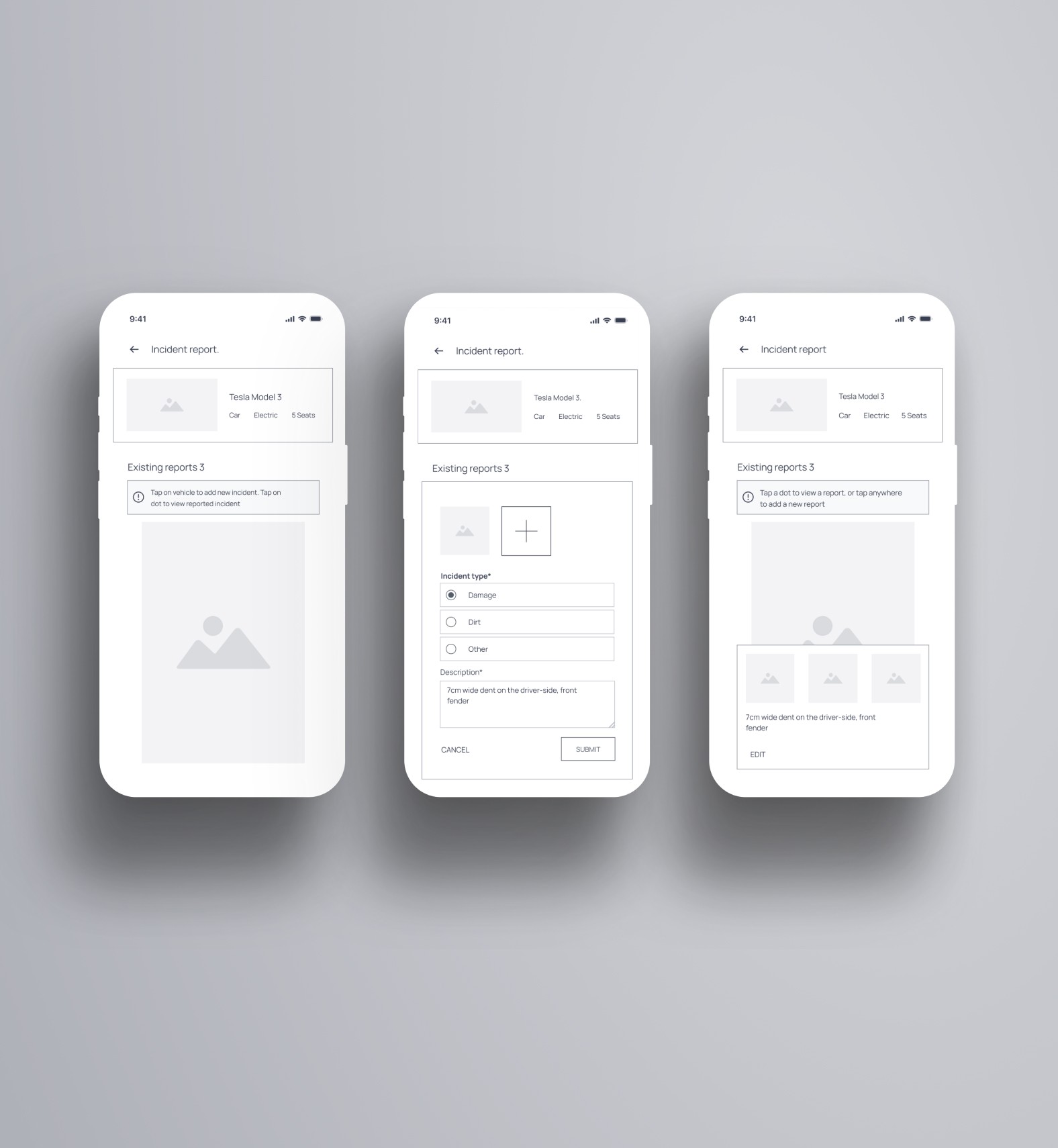
Prototype, lo-mid-fi
Approach
Research & Understanding
Before moving into design, I supported the UX team by:
Creating personas based on interview data and feedback.
Analyzing insights to understand user pain points and behavior patterns.
This early participation gave me a deep understanding of why users avoided reporting and helped shape a design that reduced friction and hesitation.
Designing for Clarity and Confidence
The main design challenge was making reporting feel effortless and neutral.
Key UI principles applied:
Familiarity: Incorporated a recognizable vehicle schematic like those used in rental agencies.
Clarity: Ensured users could easily understand which vehicle side they were viewing.
Focus: Fitted all essential elements on one screen to avoid scrolling.
Visual Cues: Applied color coding for new, existing, and reviewed incidents to make the status instantly clear.
Validation & Iteration
I developed low- and mid-fidelity prototypes and tested them through the UX team.
Testing Insights:
Round 1: Users were unsure which side of the vehicle they were viewing.
Round 2: Adding visual side labels and directional icons eliminated this confusion, and users completed tasks confidently.
Minor refinements improved contrast, icon clarity, and alignment with the existing design system.
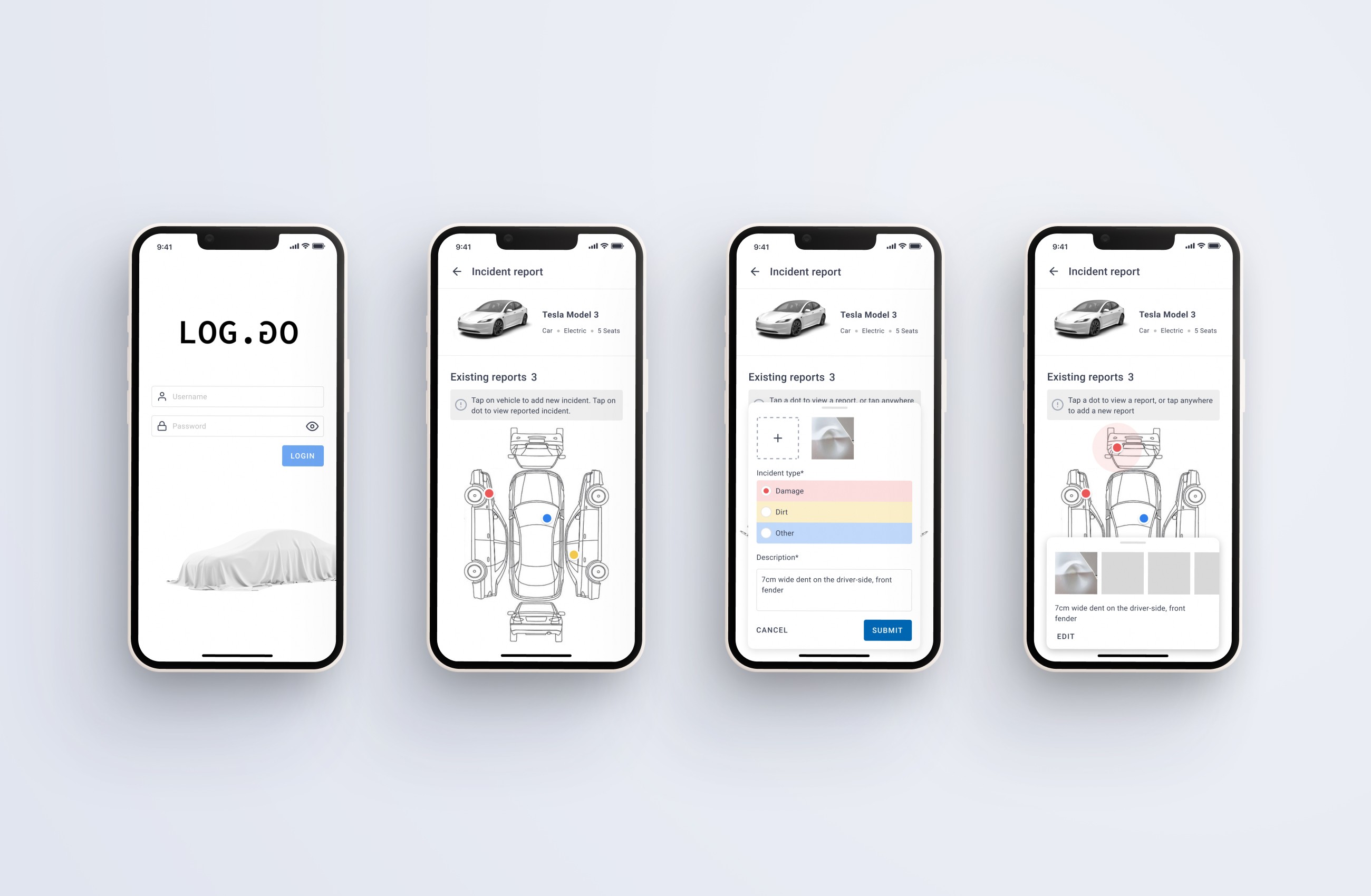
Prototype, hi-fi
Outcome
The new Incident Reporting feature transformed a frustrating, often-avoided task into a clear, confidence-driven process that users could complete in seconds.
Through simplified visual design and intuitive interaction, the feature improved both user trust and data quality, helping the company better track and manage vehicle damages.
Key improvements included:
Streamlined reporting workflow: Users could now view and mark incidents on a single screen using a familiar, schematic-based interface.
Higher accuracy: Clear vehicle orientation and visual feedback minimized misreports and confusion.
Improved user perception: Testing showed a shift in sentiment — from viewing damage reporting as a “negative action” to a “standard, easy step” in the vehicle return process.
The design was well-received by internal stakeholders and end users alike.
Following testing, the development team began integrating the feature into the main fleet app, with future plans to expand reporting capabilities with photo uploads, incident categorization, and driver attribution tracking.
Lessons Learned
Early collaboration with UX ensured design decisions addressed real user concerns.
Simplicity fosters trust: A neutral tone and clear structure encouraged honest reporting.
Consistency matters: Aligning visuals and components with the existing design system ensured seamless integration.